Guides / Captions
Captions
Add word-by-word or subtitle captions, give each voice its own colour, and fix any word by hand.
How captions work
When an auto-edit finishes, Highlix writes out every voice line word by word in the background, noting when each word was spoken. It uses whisper.cpp, running on your PC, at below-normal priority, and only on the parts where someone's talking. It pauses while you're recording and carries on afterwards.
- Voice lines are your mic, your voice chat, people in the game's own voice chat (from the game's sound - only the stretches that sound like voices) and your own imported videos. Other lines (like music) are only written out when you ask.
- The words are shared by every version of the session, but each version has its own caption style.
- The speech models are English models, so captions are for English speech. Other languages will come in future updates.
- On an NVIDIA graphics card captions can be written out on the card - usually several times faster. In Settings → Captions, download the graphics-card speech engine once (about 460 MB, whisper.cpp's own free build). Auto follows what Test my PC found out, and Compare speed times both on your PC. If anything goes wrong on the card, the captions carry on on the processor.
- There is a Best and a Faster quality. Best uses a larger speech model (about a 470 MB download, once). Faster uses a smaller one that's already on your PC for voice commands. If the larger one can't be downloaded, Highlix uses the smaller one.
Add captions to a video
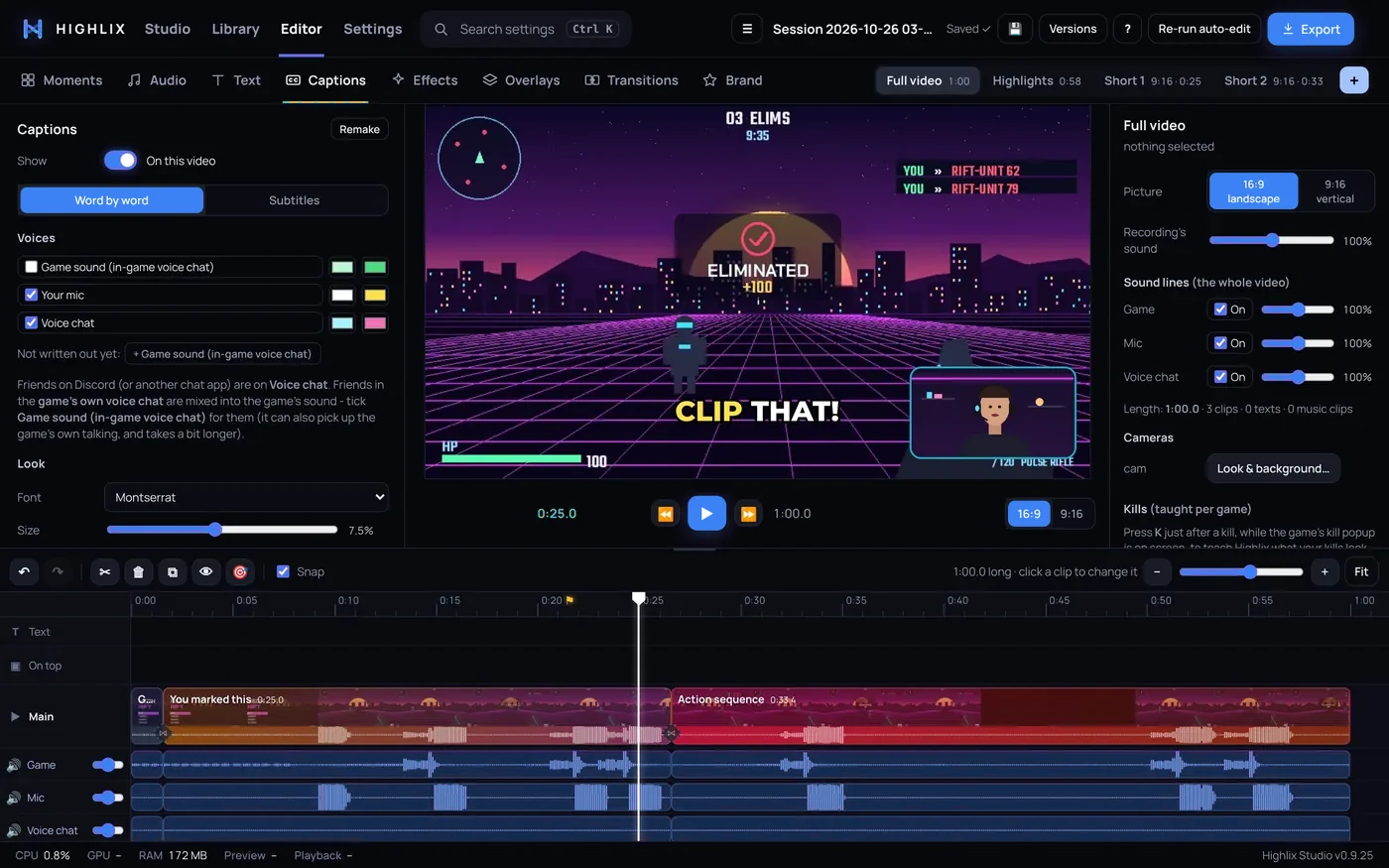
- Open the Captions tabPick the version you want (for example a Short) first, then switch Show on.
- Choose a styleWord by word shows two to four big words with the spoken word lit up or boxed. Subtitles shows a line or two.
- Pick your voicesTick which voices are shown (your mic, voice chat, music) and set a text colour and a highlight colour for each. When two people talk at once, the later voice goes above.
- Set the lookChoose a font, size, height on the picture, outline and capitals, and (in word-by-word) how many words show at once.
Fix a word
In the Captions tab, click a caption to jump to it, type to correct it, or press ✕ to delete it. Your corrections are kept for the session.
Captions follow your edit
- Only the words in clips that are in the video appear.
- They move with their clip, and speed up or slow down when the clip does.
- On export, Highlix draws the captions with the same font files, so they look just like the preview.
Captions missing on a fresh session? Give the background job a few minutes after the auto-edit. If it needs the larger speech model it downloads it first.